> ## Documentation Index
> Fetch the complete documentation index at: https://docs.oxla.com/llms.txt
> Use this file to discover all available pages before exploring further.
# INTERSECT
## INTERSECT
### Overview
The `INTERSECT` combines the result sets of two or more `SELECT` statements, retrieving only the common rows between them. Unlike `UNION`, which combines all rows and removes duplicates, `INTERSECT` focuses on returning rows that appear in all `SELECT` statements.
### Syntax
The syntax for the `INTERSECT` is as follows:
```sql theme={null}
SELECT value1, value2, ... value_n
FROM table1
INTERSECT
SELECT value1, value2, ... value_n
FROM table2;
```
The parameters from the syntax are explained below:
* `value1, value2, ... value_n`: The columns you want to retrieve. You can also use `SELECT * FROM` to retrieve all columns.
* `table1, table2`: The tables from which you wish to retrieve records.
The data types of corresponding columns must be compatible.
### Example
Suppose you have two tables: `customers_old` and `customers_new`, containing customer data for different periods. You want to find the customers who are present in both tables:
```sql theme={null}
CREATE TABLE customers_old (
customer_id INT,
customer_name TEXT
);
CREATE TABLE customers_new (
customer_id INT,
customer_name TEXT
);
INSERT INTO customers_old VALUES
(1, 'Alice'),
(2, 'Bob'),
(3, 'Charlie');
INSERT INTO customers_new VALUES
(2, 'Bob'),
(3, 'Charlie'),
(4, 'David');
```
Viewing the inserted values:
```sql theme={null}
SELECT * FROM customers_old;
SELECT * FROM customers_new;
```
```sql theme={null}
customer_id | customer_name
-------------+---------------
1 | Alice
2 | Bob
3 | Charlie
customer_id | customer_name
-------------+---------------
2 | Bob
3 | Charlie
4 | David
```
Now, let’s combine common customers using the `INTERSECT`:
```sql theme={null}
SELECT customer_name FROM customers_old
INTERSECT
SELECT customer_name FROM customers_new;
```
The result will include only the names that appear in both tables:
```sql theme={null}
customer_name
---------------
Bob
Charlie
```
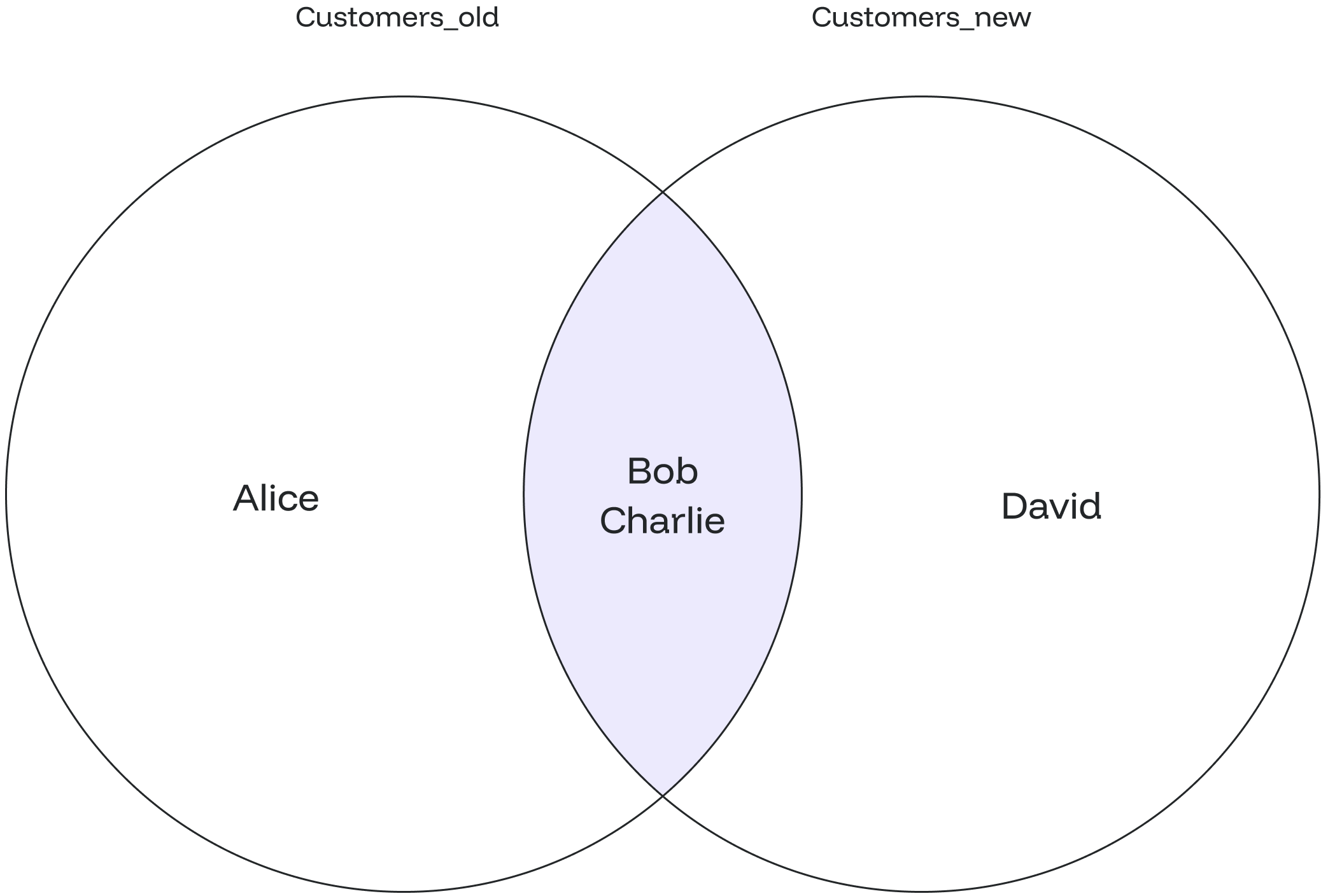
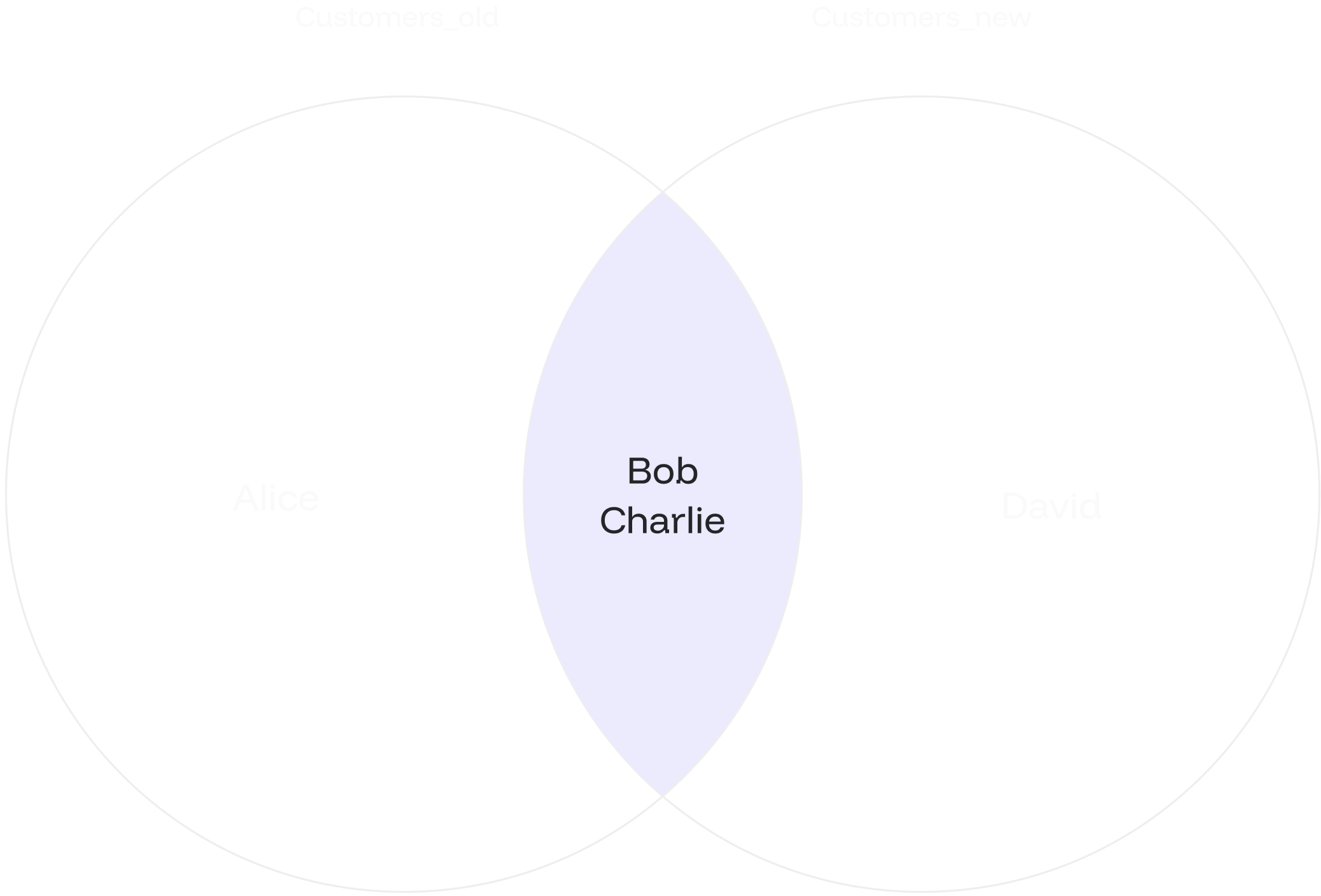
The picture displays a list of customer names that appear in both tables. Only "Bob" and "Charlie" are found in both tables and shown as INTERSECT's final result.
 ## INTERSECT ALL
### Overview
The `INTERSECT ALL` retrieves all common rows between two or more tables, including duplicates.
This means that if a row appears multiple times in any of the `SELECT` statements, it will be included in the final result set multiple times.
### Syntax
The syntax for `INTERSECT ALL` is similar to `INTERSECT`:
```sql theme={null}
SELECT value1, value2, ... value_n
FROM tables
INTERSECT ALL
SELECT value1, value2, ... value_n
FROM tables;
```
The parameters from the syntax are explained below:
* `value1, value2, ... value_n`: The columns you wish to retrieve. You can also retrieve all the values using the `SELECT * FROM` query.
* `table1, table2`: The tables from which you want to retrieve records.
The data types of corresponding columns in the `SELECT` queries must be compatible.
### Example
Let’s create three tables of products from different years. You want to find the common products among all three categories, including duplicates.
```sql theme={null}
CREATE TABLE products_electronics2021 (
product_id INT,
product_name TEXT
);
CREATE TABLE products_electronics2022 (
product_id INT,
product_name TEXT
);
CREATE TABLE products_electronics2023 (
product_id INT,
product_name TEXT
);
INSERT INTO products_electronics2021 VALUES
(1, 'Laptop'),
(2, 'Phone'),
(3, 'Tablet'),
(4, 'Headphones');
INSERT INTO products_electronics2022 VALUES
(2, 'TV'),
(3, 'Printer'),
(4, 'Monitor'),
(5, 'Phone');
INSERT INTO products_electronics2023 VALUES
(3, 'Laptop'),
(4, 'Phone'),
(5, 'Oven'),
(6, 'AC');
```
Display the tables using the query below:
```sql theme={null}
SELECT * FROM products_electronics2021;
SELECT * FROM products_electronics2022;
SELECT * FROM products_electronics2023;
```
```sql theme={null}
product_id | product_name
------------+--------------
1 | Laptop
2 | Phone
3 | Tablet
4 | Headphones
product_id | product_name
------------+--------------
2 | TV
3 | Printer
4 | Monitor
5 | Phone
product_id | product_name
------------+--------------
3 | Laptop
4 | Phone
5 | Oven
6 | AC
```
Then, combine common products from all three categories using the `INTERSECT ALL`:
```sql theme={null}
SELECT product_name FROM products_electronics2021
INTERSECT ALL
SELECT product_name FROM products_electronics2022
INTERSECT ALL
SELECT product_name FROM products_electronics2023;
```
The result will include the products that are common among all three categories, including duplicates:
```sql theme={null}
product_name
--------------
Phone
```
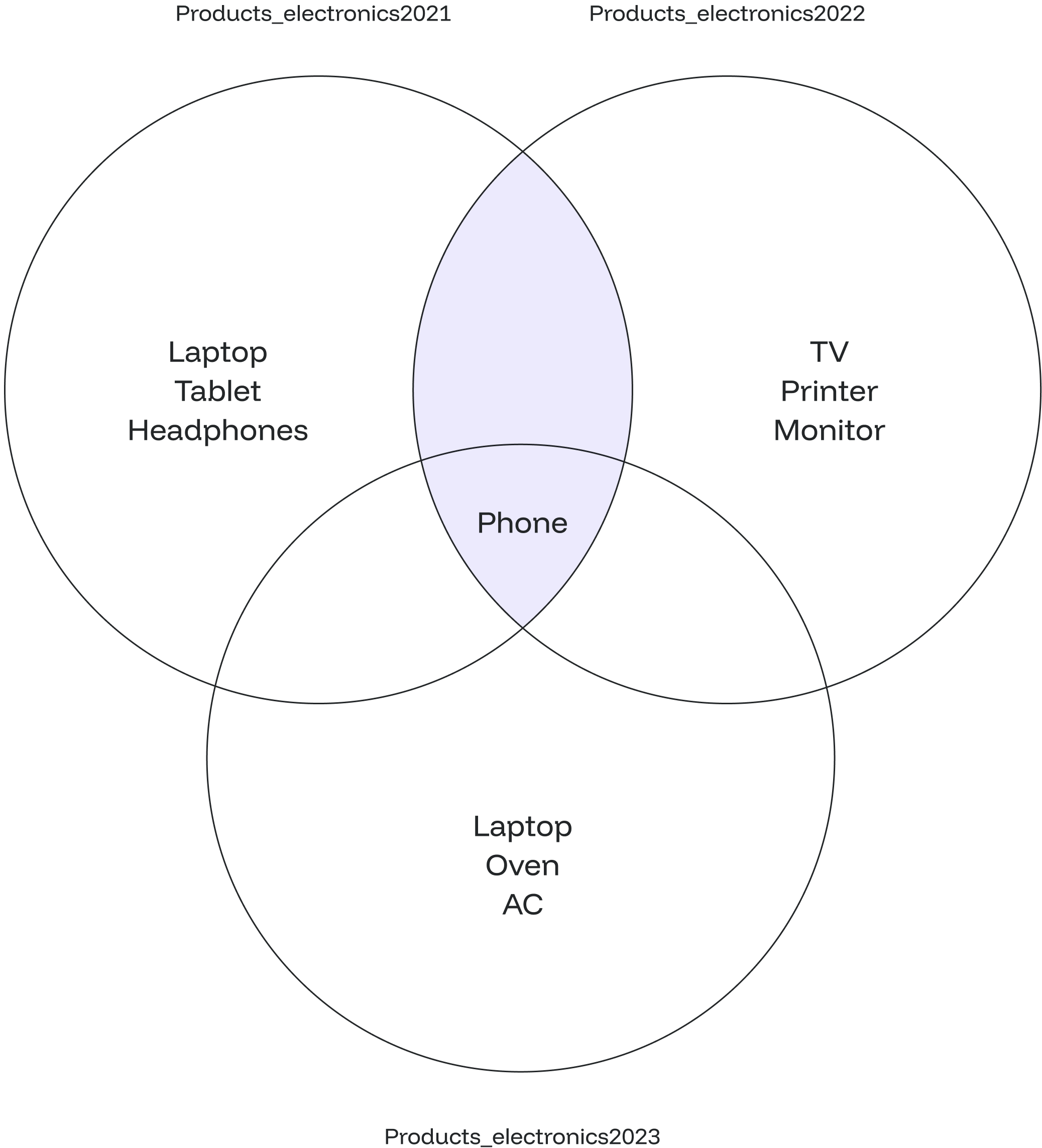
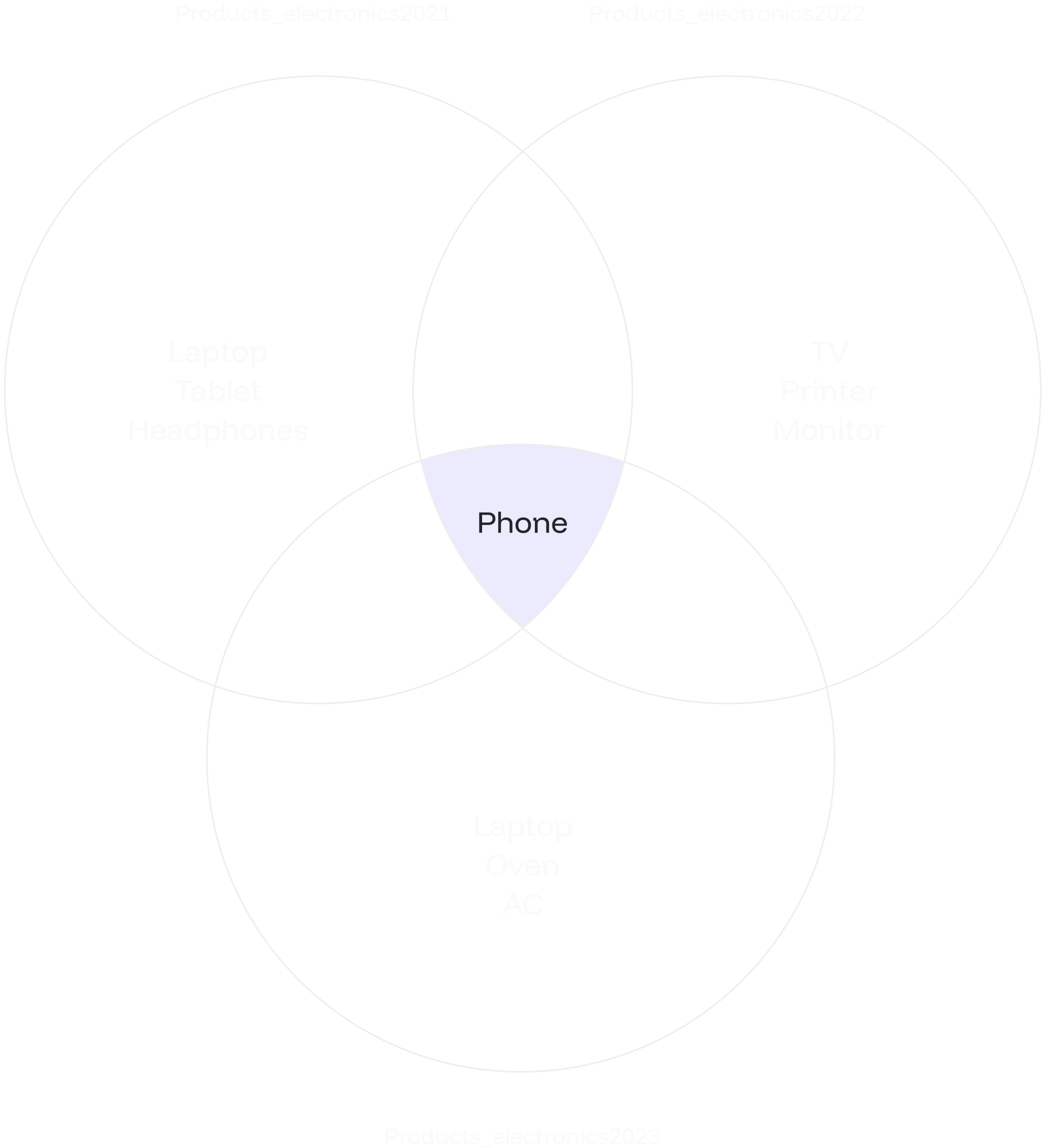
The illustration shows a list of product names common to all three years, including duplicates. In this case, the result is the product name "Phone," which appears across all three tables.
## INTERSECT ALL
### Overview
The `INTERSECT ALL` retrieves all common rows between two or more tables, including duplicates.
This means that if a row appears multiple times in any of the `SELECT` statements, it will be included in the final result set multiple times.
### Syntax
The syntax for `INTERSECT ALL` is similar to `INTERSECT`:
```sql theme={null}
SELECT value1, value2, ... value_n
FROM tables
INTERSECT ALL
SELECT value1, value2, ... value_n
FROM tables;
```
The parameters from the syntax are explained below:
* `value1, value2, ... value_n`: The columns you wish to retrieve. You can also retrieve all the values using the `SELECT * FROM` query.
* `table1, table2`: The tables from which you want to retrieve records.
The data types of corresponding columns in the `SELECT` queries must be compatible.
### Example
Let’s create three tables of products from different years. You want to find the common products among all three categories, including duplicates.
```sql theme={null}
CREATE TABLE products_electronics2021 (
product_id INT,
product_name TEXT
);
CREATE TABLE products_electronics2022 (
product_id INT,
product_name TEXT
);
CREATE TABLE products_electronics2023 (
product_id INT,
product_name TEXT
);
INSERT INTO products_electronics2021 VALUES
(1, 'Laptop'),
(2, 'Phone'),
(3, 'Tablet'),
(4, 'Headphones');
INSERT INTO products_electronics2022 VALUES
(2, 'TV'),
(3, 'Printer'),
(4, 'Monitor'),
(5, 'Phone');
INSERT INTO products_electronics2023 VALUES
(3, 'Laptop'),
(4, 'Phone'),
(5, 'Oven'),
(6, 'AC');
```
Display the tables using the query below:
```sql theme={null}
SELECT * FROM products_electronics2021;
SELECT * FROM products_electronics2022;
SELECT * FROM products_electronics2023;
```
```sql theme={null}
product_id | product_name
------------+--------------
1 | Laptop
2 | Phone
3 | Tablet
4 | Headphones
product_id | product_name
------------+--------------
2 | TV
3 | Printer
4 | Monitor
5 | Phone
product_id | product_name
------------+--------------
3 | Laptop
4 | Phone
5 | Oven
6 | AC
```
Then, combine common products from all three categories using the `INTERSECT ALL`:
```sql theme={null}
SELECT product_name FROM products_electronics2021
INTERSECT ALL
SELECT product_name FROM products_electronics2022
INTERSECT ALL
SELECT product_name FROM products_electronics2023;
```
The result will include the products that are common among all three categories, including duplicates:
```sql theme={null}
product_name
--------------
Phone
```
The illustration shows a list of product names common to all three years, including duplicates. In this case, the result is the product name "Phone," which appears across all three tables.