> ## Documentation Index
> Fetch the complete documentation index at: https://docs.oxla.com/llms.txt
> Use this file to discover all available pages before exploring further.
# OUTER JOIN
## Overview
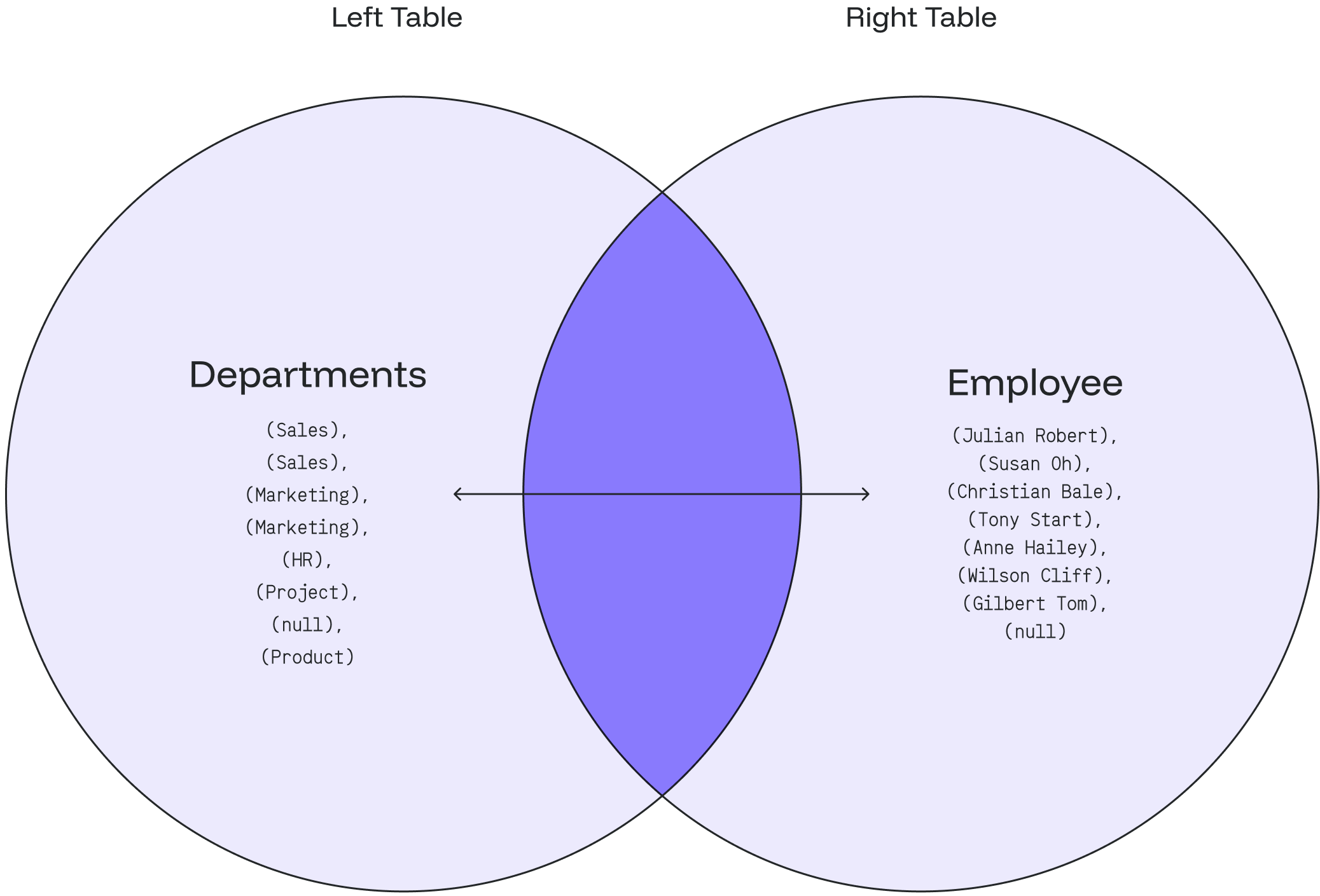
The `OUTER JOIN` **or** `FULL OUTER JOIN` returns all the records from the selected fields between the two tables (left table & right table) whether the join condition is met or not.
### **Inner Join vs. Outer Join**
The most significant difference between an `INNER JOIN` and an `OUTER JOIN` is that the `INNER JOIN` only returns the information from both tables which are common and related to each other. The OUTER JOIN will return all rows (matched/unmatched) from both tables.
We support table aliasing used in the OUTER JOIN clause.
## Syntax
### Basic Syntax
```sql theme={null}
SELECT column_1, column_2...
FROM table_1
FULL OUTER JOIN table_2
ON table_1.matching_field = table2.matching_field;
```
In the above syntax:
1. `SELECT column_1, column_2...` defines the **columns** from both tables where we want to display data.
2. `FROM table_1` represents the **left table** with table\_1 in the FROM clause.
3. `FULL OUTER JOIN table_2` represents the **right table** with table\_2 in the FULL OUTER JOIN condition.
4. `ON table_1.matching_field = table2.matching_field` sets the join condition after the **ON** keyword with the matching field between the two tables.
### Syntax with an Alias
You can use an alias to refer to the table’s name. The results will stay the same. It only helps to write the query easier.
```sql theme={null}
SELECT A.column_1, B.column_2...
FROM table_1 A //table_1 as A
FULL OUTER JOIN table_2 B //table_2 as B
ON A.matching_field = B.matching_field;
```
If there are no matched records from the joined tables, the `NULL` values will return in every column of the table that doesn’t have the matching record.
## Example
**departments table**
```sql theme={null}
CREATE TABLE departments (
department_id int,
department_name text
);
INSERT INTO departments (department_id,department_name)
VALUES
(1001, 'Sales'),
(1002, 'Marketing'),
(1003, 'HR'),
(1004, 'Project'),
(1005, 'Product');
```
```sql theme={null}
SELECT * FROM departments;
```
It will create a **departments** table as shown below:
```sql theme={null}
+----------------+------------------+
| department_id | department_name |
+----------------+------------------+
| 1001 | Sales |
| 1002 | Marketing |
| 1003 | HR |
| 1004 | Project |
| 1005 | Product |
+----------------+------------------+
```
**employee table**
```sql theme={null}
CREATE TABLE employee (
employee_id int,
employee_name text,
dept_id int
);
INSERT INTO employee (
employee_id,
employee_name,
dept_id
)
VALUES
(2001,'Tony Stark', 1002),
(2002,'Christian Bale', 1002),
(2003,'Anne Hailey', 1003),
(2004,'Wilson Cliff', 1004),
(2005,'Susan Oh', 1001),
(2006,'Julian Robert', 1001),
(2007,'Gilbert Tom', null);
```
```sql theme={null}
SELECT * FROM employee;
```
It will create an **employee** table as shown below:
```sql theme={null}
+--------------+-------------------+------------+
| employee_id | employee_name | dept_id |
+--------------+-------------------+------------+
| 2001 | Tony Stark | 1002 |
| 2002 | Christian Bale | 1002 |
| 2003 | Anne Hailey | 1003 |
| 2004 | Wilson Cliff | 1004 |
| 2005 | Susan Oh | 1001 |
| 2006 | Julian Robert | 1001 |
| 2007 | Gilbert Tom | null |
+--------------+-------------------+------------+
```
***
### Case 1: FULL OUTER JOIN
1\) Based on the above tables, we can write an `OUTER JOIN` query as follows:
```sql theme={null}
SELECT employee_name, department_name
FROM departments
FULL OUTER JOIN employee
ON departments.department_id = employee.dept_id;
```
2\) The result will show every department with an employee and the employee who works under a specific department.
3\) It also includes every department that does not have any employees and the employees who do not belong to a specific department.
```sql theme={null}
+-------------------+-------------------+
| employee_name | department_name |
+-------------------+-------------------+
| Julian Robert | Sales |
| Susan Oh | Sales |
| Christian Bale | Marketing |
| Tony Stark | Marketing |
| Anne Hailey | HR |
| Wilson Cliff | Project |
| Gilbert Tom | null |
| null | Product |
+-------------------+-------------------+
```
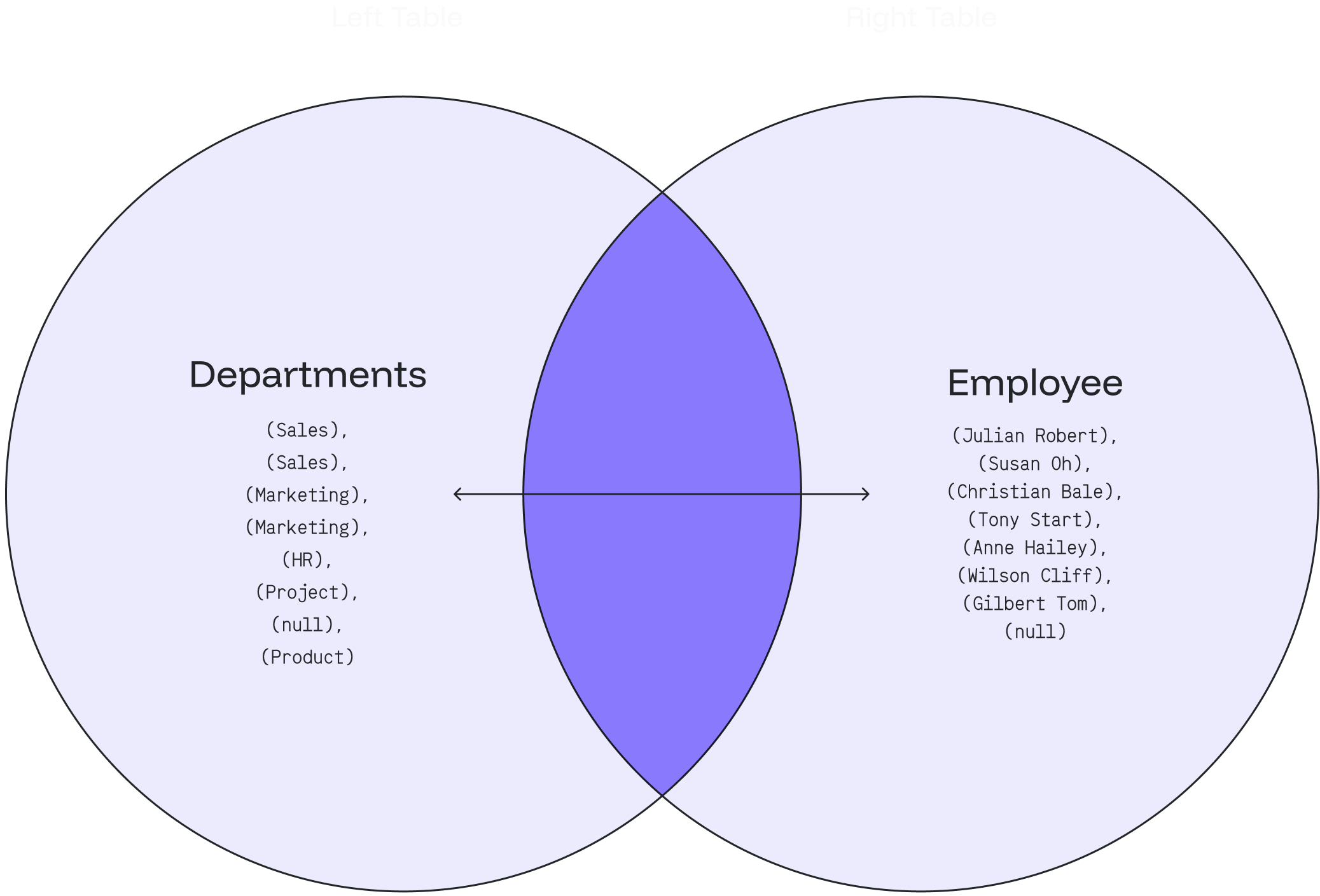
The following Venn diagram illustrates the FULL OUTER JOIN:
 ***
### Case 2: `FULL OUTER JOIN` with `WHERE` Clause
**a) Employee**
1. We can look up the department that does not have any employees by adding a `WHERE` clause and `NULL` as the following query:
```sql theme={null}
SELECT employee_name, department_name
FROM departments
FULL OUTER JOIN employee
ON departments.department_id = employee.dept_id
WHERE employee_name IS NULL;
```
2. The result will indicate that the **Product** department doesn’t have any employees 👨🏻💼
```sql theme={null}
+------------------+--------------------+
| employee_name | department_name |
+------------------+--------------------+
| null | Product |
+------------------+--------------------+
```
**b) Department**
1\) Let’s find out the employee who doesn’t belong to any department by adding a WHERE clause and NULL as the following query:
```sql theme={null}
SELECT employee_name, department_name
FROM employee
FULL OUTER JOIN departments
ON employee.dept_id = departments.department_id
WHERE department_name IS NULL;
```
2\) The result will show that **Gilbert Tom** doesn’t belong to any department 👨🏻💼
```sql theme={null}
+------------------+--------------------+
| employee_name | department_name |
+------------------+--------------------+
| Gilbert Tom | null |
+------------------+--------------------+
```
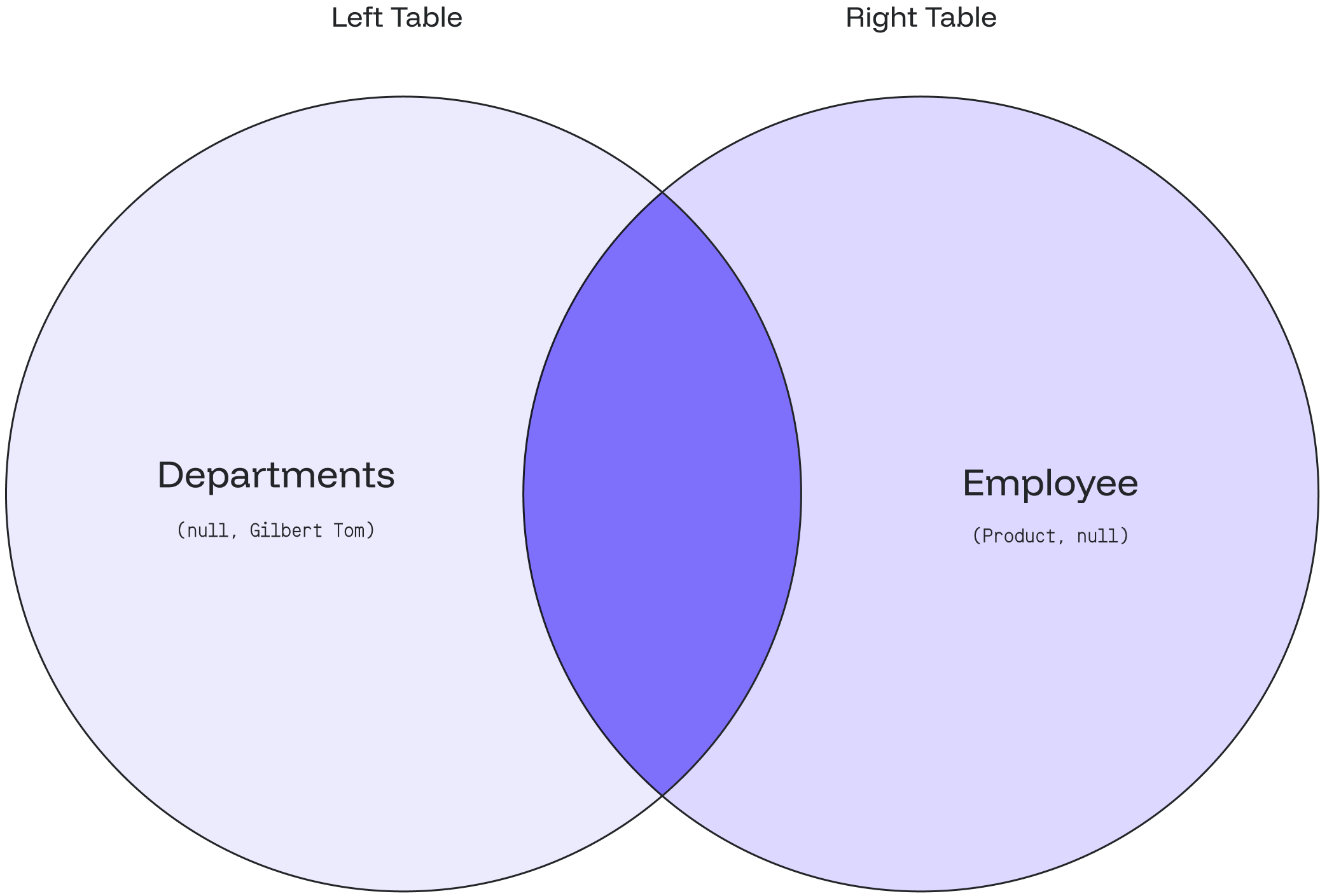
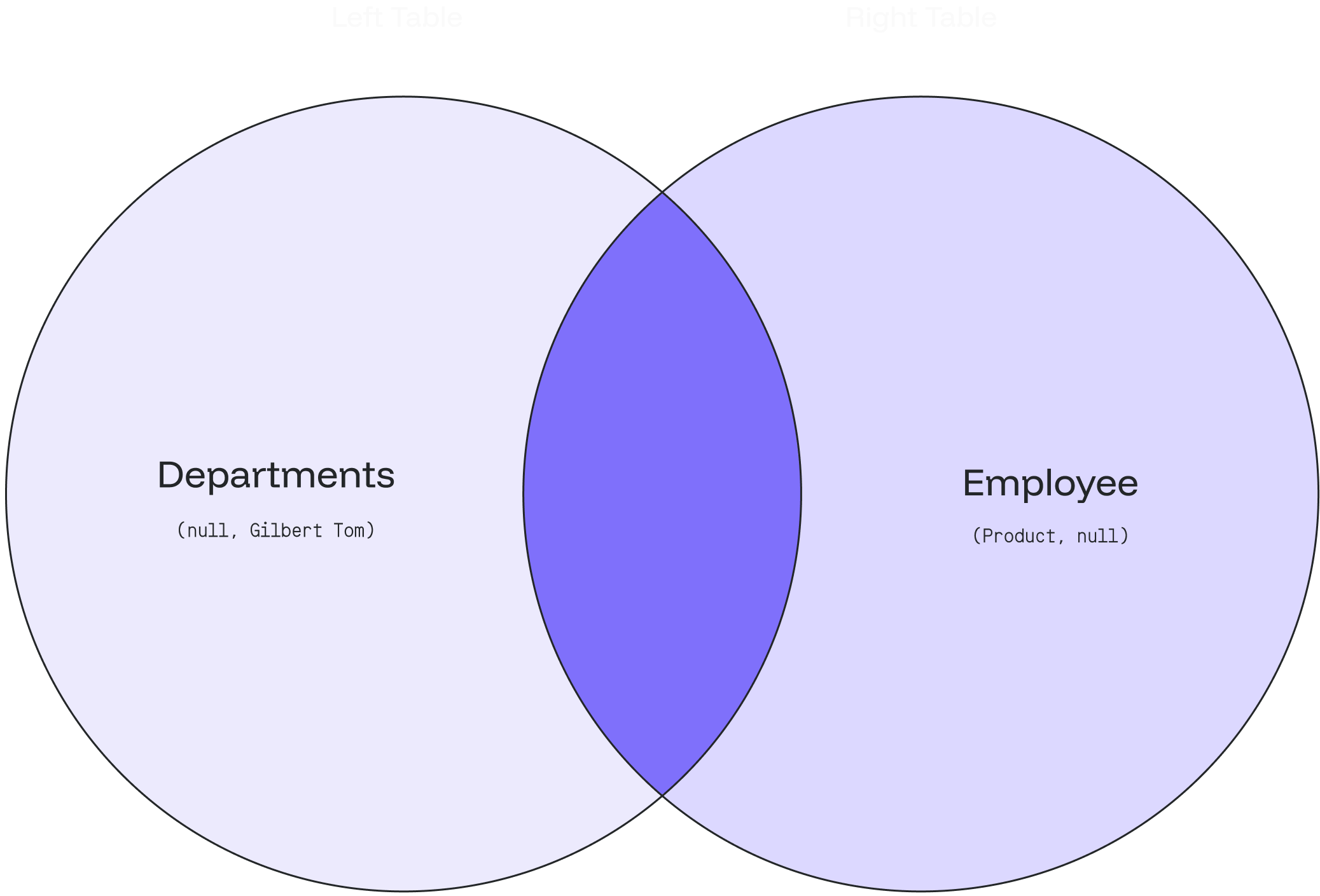
The following Venn diagram illustrates how the FULL OUTER JOIN works for the department and employee with a null value:
***
### Case 2: `FULL OUTER JOIN` with `WHERE` Clause
**a) Employee**
1. We can look up the department that does not have any employees by adding a `WHERE` clause and `NULL` as the following query:
```sql theme={null}
SELECT employee_name, department_name
FROM departments
FULL OUTER JOIN employee
ON departments.department_id = employee.dept_id
WHERE employee_name IS NULL;
```
2. The result will indicate that the **Product** department doesn’t have any employees 👨🏻💼
```sql theme={null}
+------------------+--------------------+
| employee_name | department_name |
+------------------+--------------------+
| null | Product |
+------------------+--------------------+
```
**b) Department**
1\) Let’s find out the employee who doesn’t belong to any department by adding a WHERE clause and NULL as the following query:
```sql theme={null}
SELECT employee_name, department_name
FROM employee
FULL OUTER JOIN departments
ON employee.dept_id = departments.department_id
WHERE department_name IS NULL;
```
2\) The result will show that **Gilbert Tom** doesn’t belong to any department 👨🏻💼
```sql theme={null}
+------------------+--------------------+
| employee_name | department_name |
+------------------+--------------------+
| Gilbert Tom | null |
+------------------+--------------------+
```
The following Venn diagram illustrates how the FULL OUTER JOIN works for the department and employee with a null value: