> ## Documentation Index
> Fetch the complete documentation index at: https://docs.oxla.com/llms.txt
> Use this file to discover all available pages before exploring further.
# LEFT JOIN
## Overview
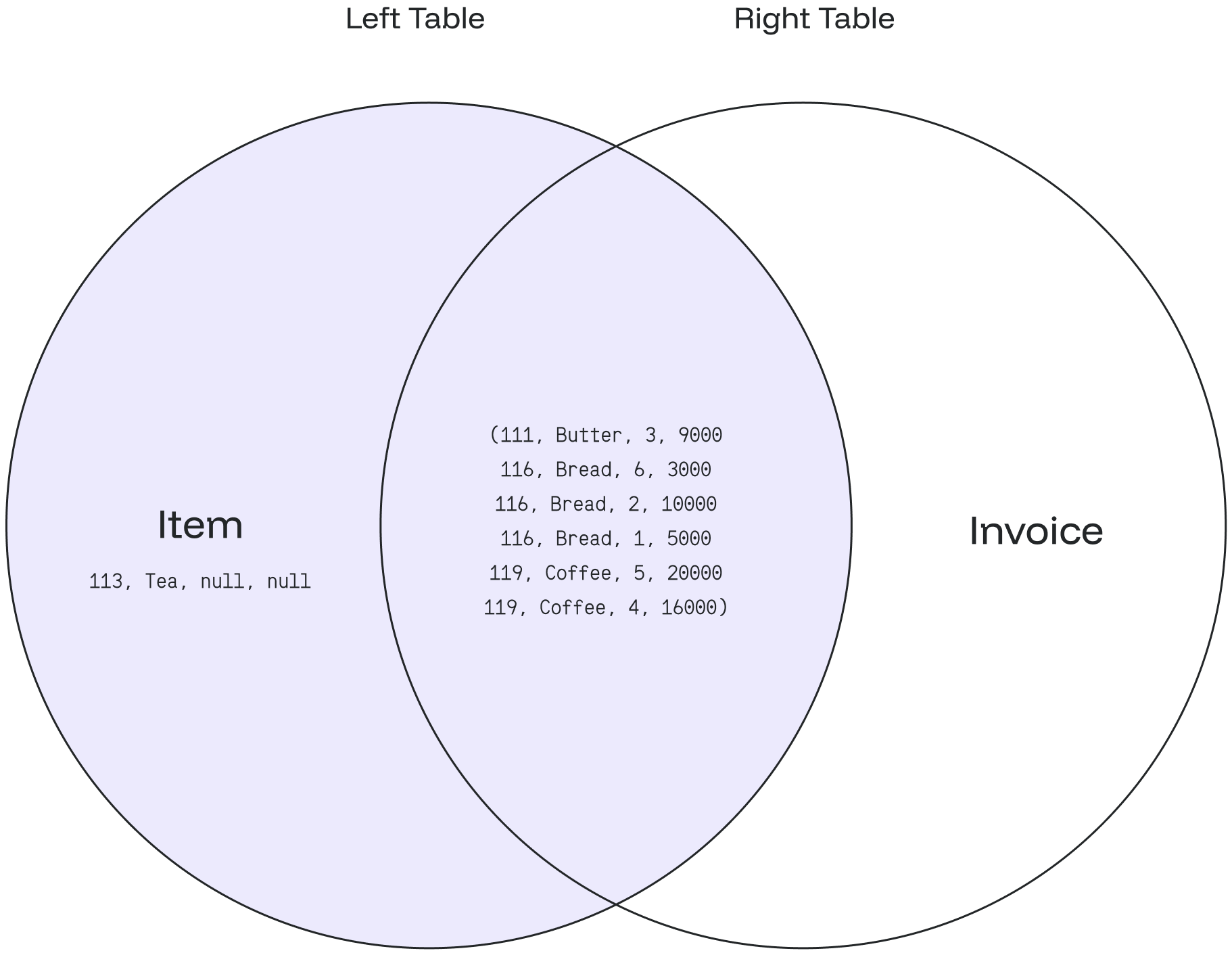
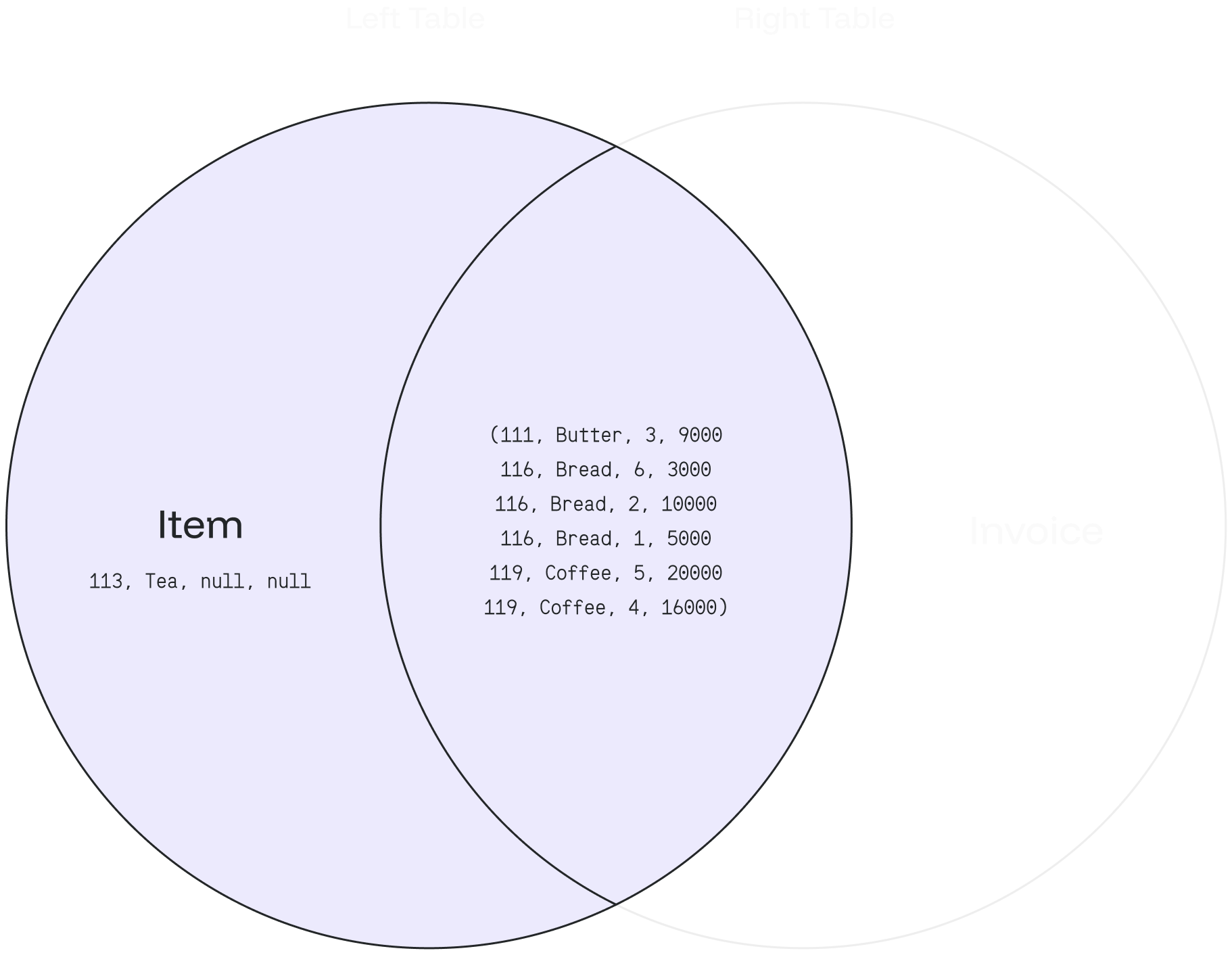
The `LEFT JOIN`returns **all** matching records from the left table combined with the right table. Even if there are no matching records in the right table, the `LEFT JOIN` will still return a row in the result, but with NULL in each column from the right table.
`LEFT JOIN` is also known as `LEFT OUTER JOIN`.
## Syntax
We support table aliasing used in the `LEFT JOIN` clause.
### a) Basic Syntax
```sql theme={null}
SELECT column_1, column_2...
FROM table_1
LEFT JOIN table_2
ON table_1.matching_field = table2.matching_field;
```
In the above syntax:
1. `SELECT column_1, column_2...` defines the **columns** from both tables where we want the data to be selected.
2. `FROM table_1` defines the **left table** as the main table in the FORM clause.
3. `RIGHT JOIN table_2` defines the **right table** as the table the main table joins.
4. `ON table_1.matching_field = table2.matching_field` sets the join condition after the **ON** keyword with the matching field between the two tables.
### b) Syntax with an Alias
You can use an alias to refer to the table’s name. The results will stay the same. It only helps to write the query easier.
```sql theme={null}
SELECT A.column_1, B.column_2...
FROM table_1 A //table_1 as A
LEFT JOIN table_2 B //table_2 as B
ON A.matching_field = B.matching_field;
```
## Example
**item table**
```sql theme={null}
CREATE TABLE item (
item_no int NOT NULL,
item_name text
);
INSERT INTO item
(item_no,item_name)
VALUES
(111,'Butter'),
(113,'Tea'),
(116,'Bread'),
(119,'Coffee');
```
```sql theme={null}
SELECT * FROM item;
```
It will create a table as shown below:
```sql theme={null}
+-----------+----------------+
| item_no | item_name |
+-----------+----------------+
| 111 | Butter |
| 113 | Tea |
| 116 | Bread |
| 119 | Coffee |
+-----------+----------------+
```
**invoice table**
```sql theme={null}
CREATE TABLE invoice (
inv_no int NOT NULL,
item int,
sold_qty int,
sold_price int
);
INSERT INTO invoice
(inv_no, item, sold_qty, sold_price)
VALUES
(020219,111,3,9000),
(020220,116,6,30000),
(020221,116,2,10000),
(020222,116,1,5000),
(020223,119,5,20000),
(020224,119,4,16000);
```
```sql theme={null}
SELECT * FROM invoice;
```
It will create a table as shown below:
```sql theme={null}
+----------+---------+-----------+-------------+
| inv_no | item | sold_qty | sold_price |
+----------+---------+-----------+-------------+
| 20219 | 111 | 3 | 9000 |
| 20220 | 116 | 6 | 30000 |
| 20221 | 116 | 2 | 10000 |
| 20222 | 116 | 1 | 5000 |
| 20223 | 119 | 5 | 20000 |
| 20224 | 119 | 4 | 16000 |
+----------+---------+-----------+-------------+
```
***
1\) Based on the above tables, we can write a `LEFT JOIN` query as follows:
```sql theme={null}
SELECT item_no, item_name, sold_qty, sold_price
FROM item
LEFT JOIN invoice
ON item.item_no = invoice.item;
```
* The **item** = left table, and the **invoice** = right table.
* Then it combines the values from the **item** table using the **item\_no** and matches the records using the **item** column of each row from the **invoice** table.
* If the records are equal, a new row will be created with `item_no`, **`item_name`**, and `sold_qty`, `sold_price` columns as defined in the `SELECT` clause.
* **ELSE** it will create a new row with a `NULL` value from the right table **(invoice)**.
2\) The above query will give the following result:
```sql theme={null}
+-----------+-------------+------------+---------------+
| item_no | item_name | sold_qty | sold_price |
+-----------+-------------+------------+---------------+
| 111 | Butter | 3 | 9000 |
| 113 | Tea | null | null |
| 116 | Bread | 6 | 30000 |
| 116 | Bread | 2 | 10000 |
| 116 | Bread | 1 | 5000 |
| 119 | Coffee | 5 | 20000 |
| 119 | Coffee | 4 | 16000 |
+-----------+-------------+------------+---------------+
```
Based on the data from the **item** and **invoice** tables:
* The result matches the total item stored in the **item** table: **4 items.**
* The result will display all the item's data from the **left table (item table)**, even if there is 1 item that hasn’t been sold.
* The item id: `111` matches the item `butter` and has been sold for 3pcs/9000.
* The item id: `113` matches the item `tea` but has never been sold. Thus the sold\_qty & sold\_price columns are filled with: null.
* The item id: `116` matches the item `Bread` and has been sold three times, for 6pcs/3000, 2pcs/10000, and 1pc/5000.
* The item id: `119` matches the item `Coffee` and has been sold two times, for 5pcs/20000 and 4pcs/16000.
An **item** can have zero or many invoices. An **invoice** belongs to zero or one **item**.
The following Venn diagram illustrates the `LEFT JOIN`: