> ## Documentation Index
> Fetch the complete documentation index at: https://docs.oxla.com/llms.txt
> Use this file to discover all available pages before exploring further.
# JOIN
## Overview
`JOIN` clause is used to create a new table by combining records and using common fields between two tables in a database.
We support table aliasing used in the `JOIN` clause.
## Syntax
### Basic Syntax
The following is the syntax of the `JOIN` clause:
```sql theme={null}
SELECT table_1.column_1, table_2.column_2...
FROM table_1
JOIN table_2
ON table_1.common_filed = table_2.common_field
```
1. `SELECT table_1.column_1, table_2.column_2...` will select the columns to be displayed from both tables.
2. `FROM table_1 JOIN table_2` represents the joined tables.
3. `ON table_1.common_filed = table_2.common_field` compares each row of table\_1 with each row of table\_2 to find all pairs of rows that meet the join-common field.
4. When the join-common field is met, column values for each matched pair of rows from table\_1 and table\_2 are combined into a result row.
### Syntax with an Alias
You can use table aliasing to refer to the table’s name. An alias is a temporary name given to a table, column, or expression in a query.
The results will stay the same, but it can help you to write the query easier.
```sql theme={null}
SELECT left.column_1, right.column_2...
FROM table_1 as left
JOIN table_2 as right
ON left.common_filed = right.common_field
```
## Examples
Before we move on, let us assume two tables:
**movies table**
```sql theme={null}
CREATE TABLE movies (
movie_id int,
movie_name text,
category_id int
);
INSERT INTO movies
(movie_id, movie_name, category_id)
VALUES
(201011, 'The Avengers', 181893),
(200914, 'Avatar', 181894),
(201029, 'Shutter Island', 181891),
(201925, 'Tune in Your Love', 181892);
```
```sql theme={null}
SELECT * FROM movies;
```
It will create a table as shown below:
```sql theme={null}
+------------+-----------------------+--------------+
| movie_id | movie_name | category_id |
+------------+-----------------------+--------------+
| 201011 | The Avengers | 181893 |
| 200914 | Avatar | 181894 |
| 201029 | Shutter Island | 181891 |
| 201925 | Tune in Your Love | 181892 |
+------------+-----------------------+--------------+
```
**categories table**
```sql theme={null}
CREATE TABLE categories (
id int,
category_name text
);
INSERT INTO categories
(id, category_name)
VALUES
(181891, 'Psychological Thriller'),
(181892, 'Romance'),
(181893, 'Fantasy'),
(181894, 'Science Fiction'),
(181895, 'Action');
```
```sql theme={null}
SELECT * FROM categories;
```
It will create a table as shown below:
```sql theme={null}
+--------------+-----------------------+
| id | category_name |
+-----------+--------------------------+
| 181891 | Psychological Thriller |
| 181892 | Romance |
| 181893 | Fantasy |
| 181894 | Science Fiction |
| 181895 | Action |
+-----------+--------------------------+
```
***
1. Based on the above tables, we can write a `JOIN` query as follows:
```sql theme={null}
SELECT a.movie_name, c.category_name
FROM movies AS a
JOIN categories AS c
ON a.category_id = c.id;
```
2. The above query will give the following result:
```sql theme={null}
+-----------------------+---------------------------+
| movie_name | category_name |
+-----------------------+---------------------------+
| Shutter Island | Psychological Thriller |
| Tune in Your Love | Romance |
| The Avengers | Fantasy |
| Avatar | Science Fiction |
+-----------------------+---------------------------+
```
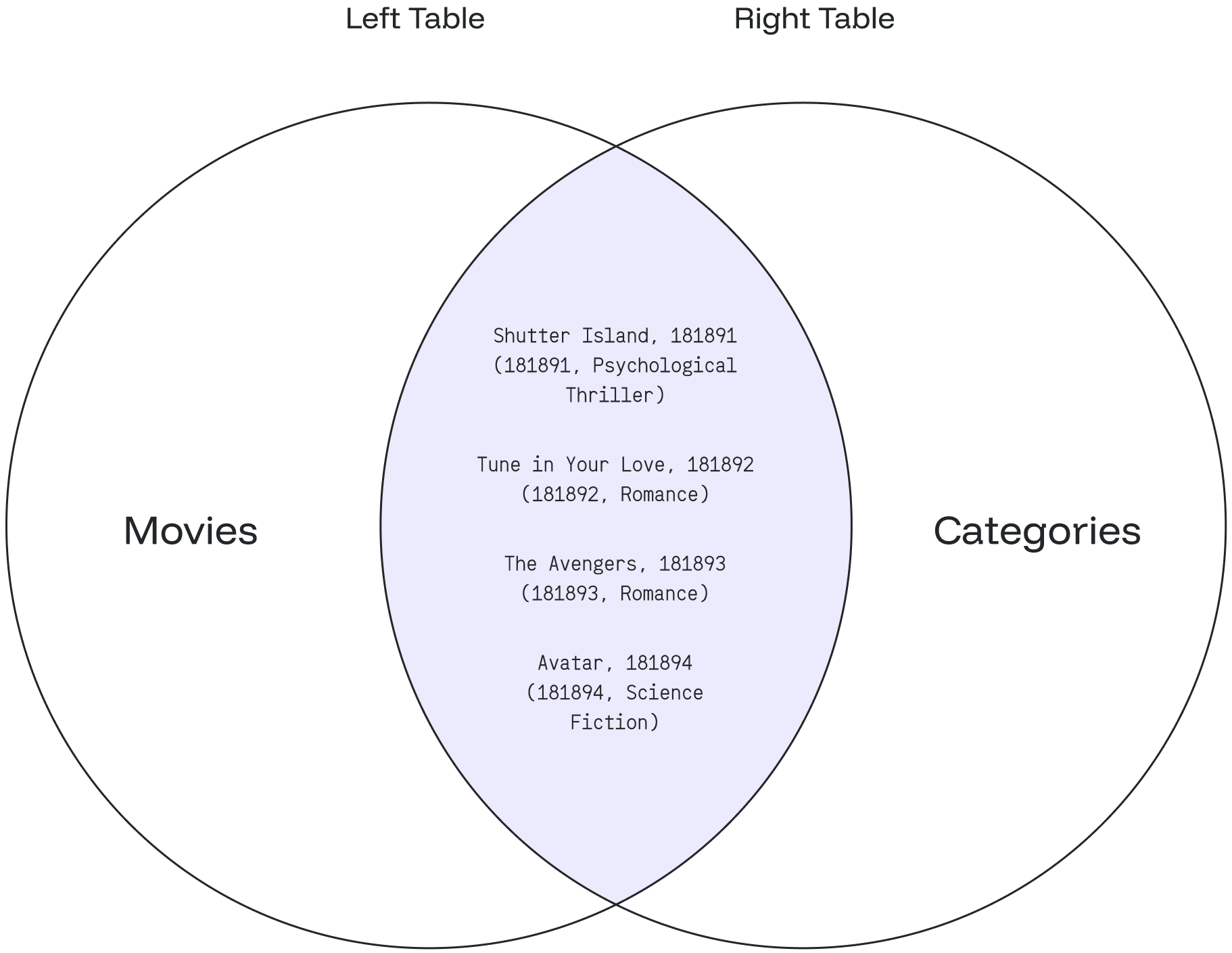
The JOIN checks each row of the **category\_id** column in the first table (**movies**) with the value in the **id** column of each row in the second table (**categories**).
If the values are equal, it will create a new row that contains columns from both tables (**category\_name)** and adds the new row **(movie\_name)** to the result set.
Below is the Venn diagram based on the example: